Graduation slideshows your community can search.
Ditch static videos. Our web app collects every graduate's photo and message, keeps it on-brand, and turns it into an interactive slideshow you embed directly on your website.
- Live in 48 hours
- Searchable by name & degree
- Plans from $795
More than software. Your commencement command center.
We solve the core operational challenges of graduation, so you can focus on what matters most: celebrating your graduates.
Automate everything
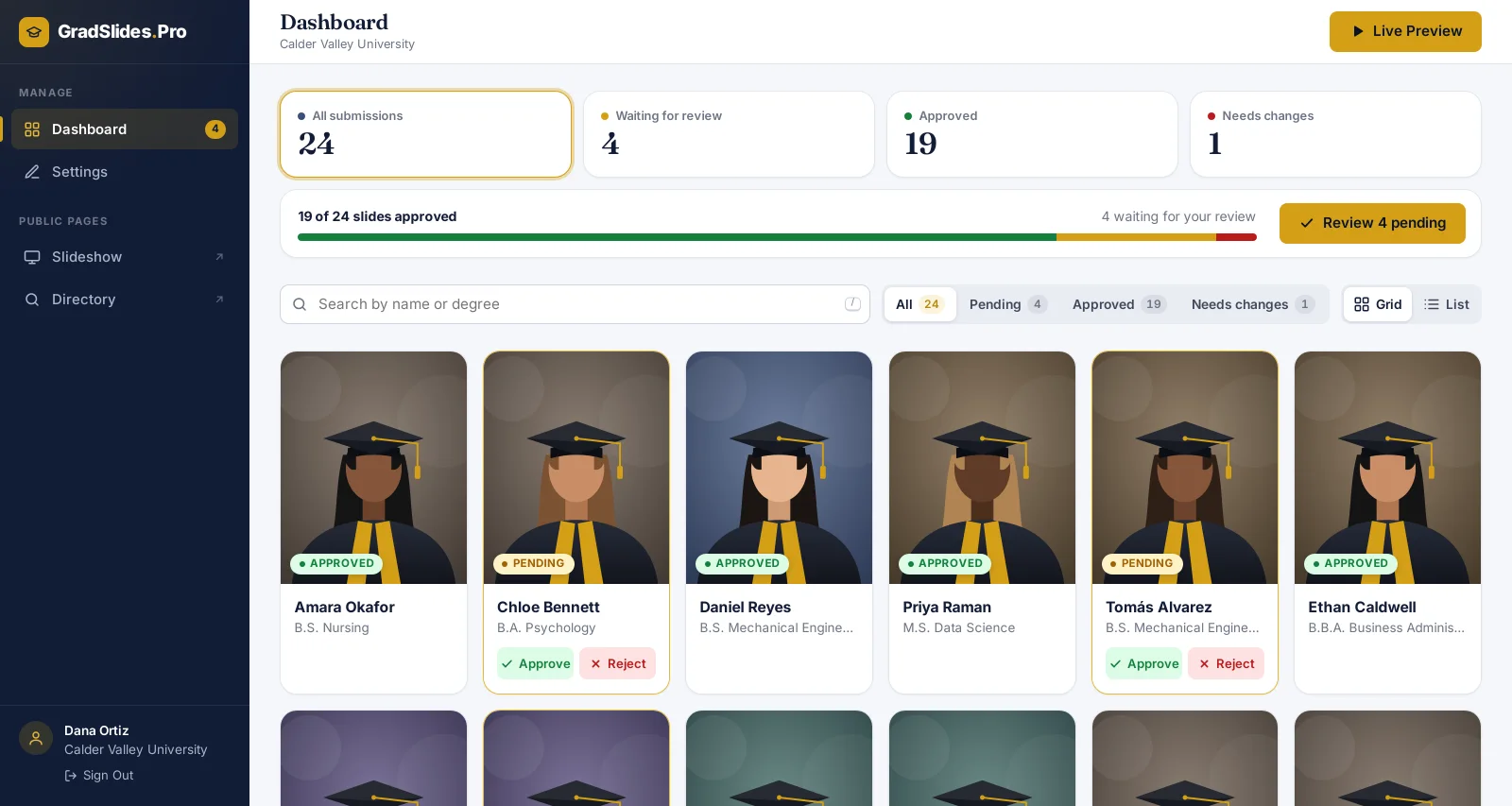
From a single dashboard, see who has submitted, work through the review queue, and manage every slide without touching a spreadsheet.
- Students submit their own photo, degree and message
- Approve in one click, or send a fix-it link automatically
- Review submissions from your phone or laptop
- Your whole team works together, live
Perfectly on-brand, every time
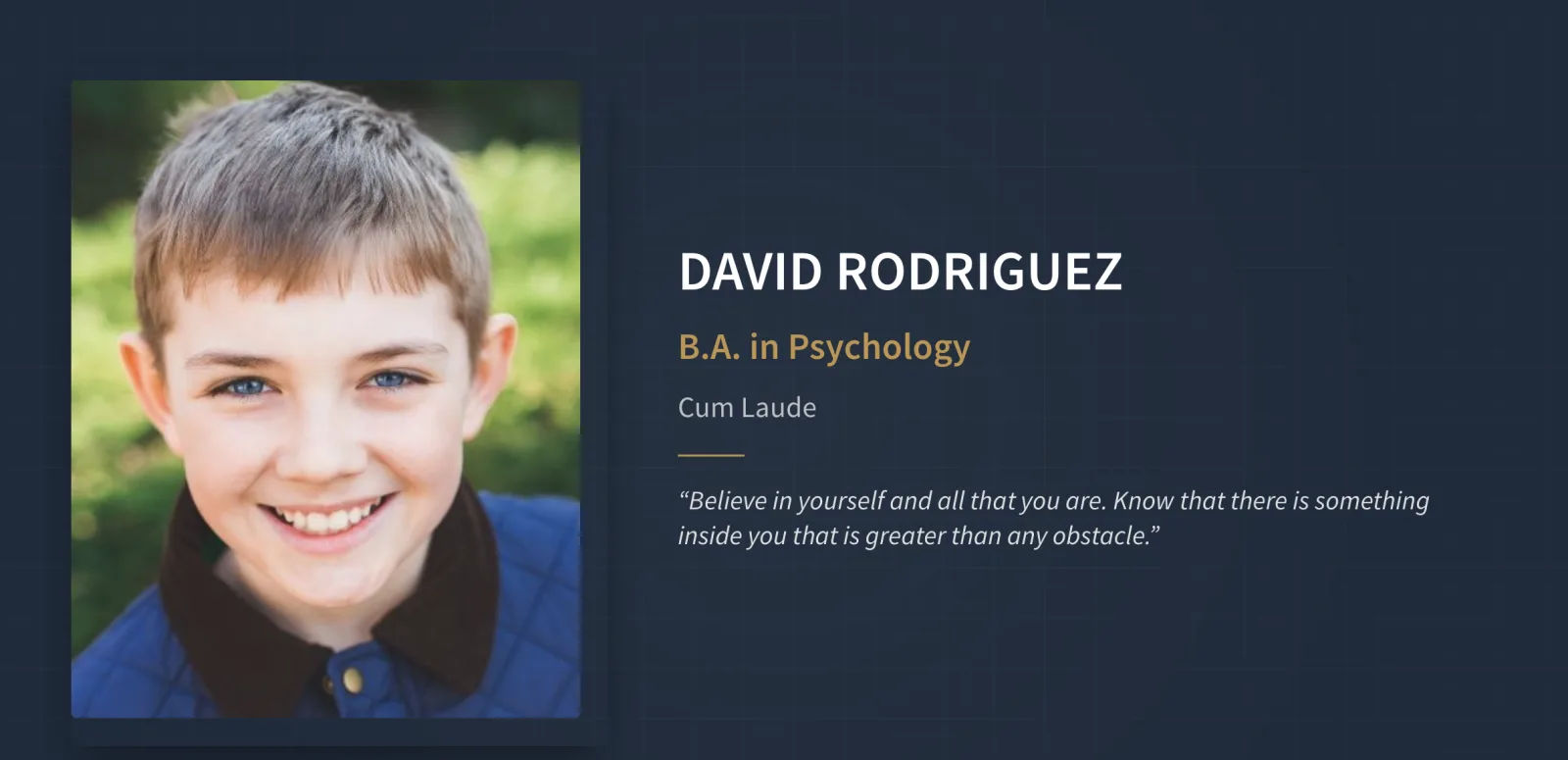
Our system applies your institution's official branding, fonts, and colors to every slide automatically, ensuring a polished and consistent look with no typos slipping through.
An experience that lasts
Embed the interactive slideshow on your website. Families can search for their graduate by name or degree, and share the moment long after the ceremony ends.
LiveTry it: search a name, use the arrows, or go full screen. Open the full demo →
From chaos to ceremony in four steps
A fully managed service that turns a weeks-long headache into a simple, transparent, stress-free process.
- 1
Launch your portal
We configure your branded submission portal and automated email campaigns in 48 hours.
- 2
Collect automatically
The web app handles student reminders and organizes every submission for you.
- 3
Review & produce
Approve content in your dashboard and we produce your on-brand, interactive slideshow.
- 4
Embed & go live
Paste one line of embed code to put the searchable experience on your website.
A modern platform for a modern ceremony
Stop wrestling with outdated methods. See what a dedicated web application changes.
The old way
- Chaotic email chains & spreadsheets
- Hundreds of wasted staff hours
- High risk of typos & errors
- A static, unsearchable final video
The GradSlides Pro way
- One centralized web application
- Fully automated reminders & collection
- Accuracy guaranteed with reviews
- An interactive, embeddable experience
Simple, all-inclusive pricing
One transparent fee per ceremony. No per-student charges, no surprises, no hidden costs.
Starter
For smaller schools & K-12
- Interactive web slideshow
- Searchable by name & degree
- Embeddable on your website
- Online student submission form
- 12-month secure hosting
- Self-serve setup
Essential
For most high schools & colleges
- Everything in Starter, plus:
- Automated data collection & reminders
- Branded submission portal
- Setup done for you in 48 hours
Professional
For universities
- Everything in Essential, plus:
- Custom branding & design
- Human content review
- Advanced security & controls
- Dedicated account manager
Enterprise
For large & multi-campus systems
- Everything in Professional, plus:
- Multi-campus coordination
- Advanced approval workflows
- 99.9% uptime SLA guarantee
- 24/7 priority technical assistance
Full HD video production is available as a premium add-on for any package.
Questions, answered
How do students submit their slide?
You get a private submission link to share with your graduates. Each student enters their name, degree and a short message, and uploads a photo they can crop right in the browser. Submissions appear in your dashboard instantly.
What happens if a submission has a mistake?
Reject it with a reason in one click. The student automatically receives an email with a secure link to fix and resubmit their slide, and it lands back in your review queue.
How do we put the slideshow on our website?
Copy one line of embed code from your dashboard and paste it into any page of your website. You can embed the full-screen slideshow, a searchable graduate directory, or both.
Do we need to install anything?
No. GradSlides Pro runs entirely in the browser for your staff, your students and the families watching.
How long does the slideshow stay online?
Every package includes 12 months of secure hosting, so families can revisit and share the moment long after the ceremony.
See the web app in action
Book a free, no-obligation strategy call and get a live walkthrough of the platform with your own school in mind.
- A short strategy callAt a time that suits you. We'll reply within 24 hours.
- A live product demoThe dashboard, the student form and the finished slideshow.
- A clear quoteOne price for your ceremony. No pressure, no obligation.